In this case study, I found one of my own blog posts had not been indexed by Google. So, naturally being a technical SEO specialist, I investigated it.
TL;DR
Google's canonicalization algorithm can be spot on but, as I found out, it doesn't always get it right.
In this experiment I learned that:
- Google can be wrong: Even with all the right signals in place, Google's canonicalization machine learning algorithm can choose the wrong URL.
- Reporting bugs: The problem wasn't helped by the Google Search Console Index Coverage report choosing to categorise the canonical URL as "Crawled, currently not indexed" (so I wasn't sure what the problem was straight away).
- SEO performance: Non-canonical URLs won't perform as well as pages that are meant to be the canonical, especially if they are higher up in the link architecture.
- Debugging: Using good old fashioned technical SEO debugging techniques can help identify the problem and solve it (which I have mentioned below).
- Feed URLs: It seems RSS feeds that contain all the content of a post (and nothing else) can be used and counted in the canonicalization algorithm.
Update: 05/11/2021
A few SEOs made some good points about the solution to 404 the /feed/ URLs.
For a client it could cause problems, as RSS feeds are still used to generate backlinks, XML sitemaps, etc.
I just did this as a quick experiment without any real thought to the long term impact of getting rid of an author feed URL (I just wanted to see if the feed URL was the issue or the post itself). In hindsight, what I should have done (and what I would recommend to clients) is:
- Update the feeds to include an excerpt of each post (update in Settings > Reading).
- Use an X-Robots-Tag HTTP header on all /feed/ URLs (if feed URLs persist in the index).
The problem
When I was playing around in the Gent of Search Google Search Console (GSC) I noticed that one of my blog posts wasn't indexed.
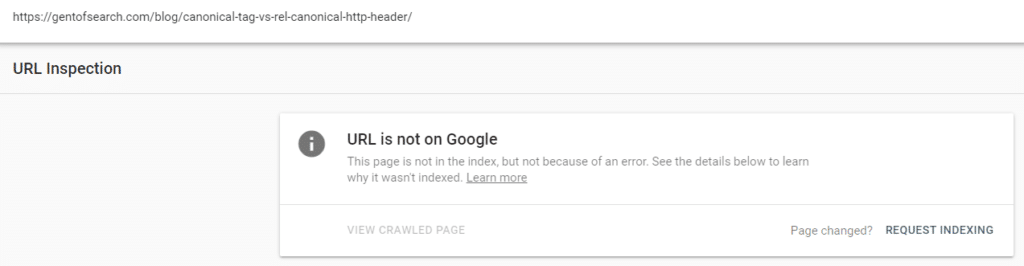
Google wasn't really giving me any information on why the page wasn't indexed, just "Crawled, currently not indexed".
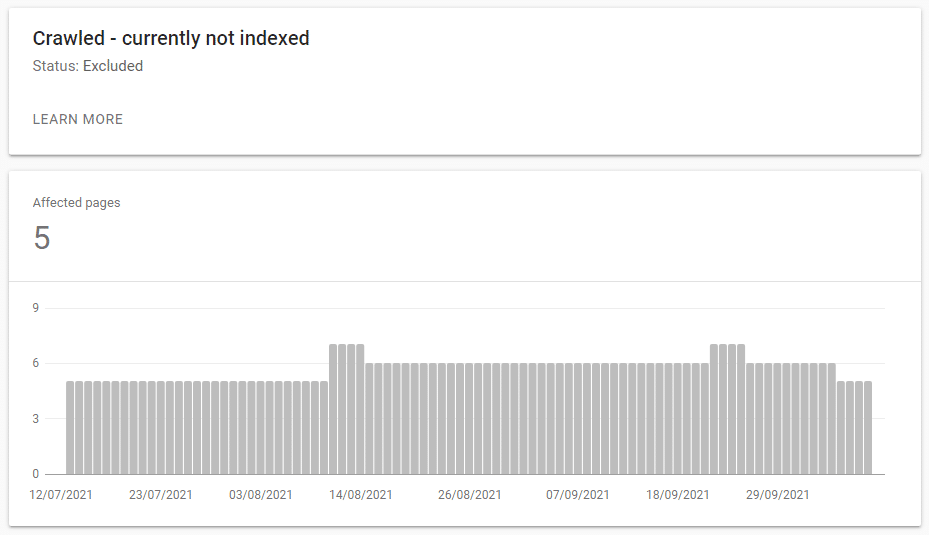
I thought this was odd considering the utter garbage I've seen it crawl and index in past experiments. The content was unique and (I thought) fairly interesting.
So, I did a little digging.
I began to notice that the GSC Index Coverage report was telling me that /feed/ URLs were being crawled and indexed by Google. Which was odd, as they were just RSS feeds and not actual pages.
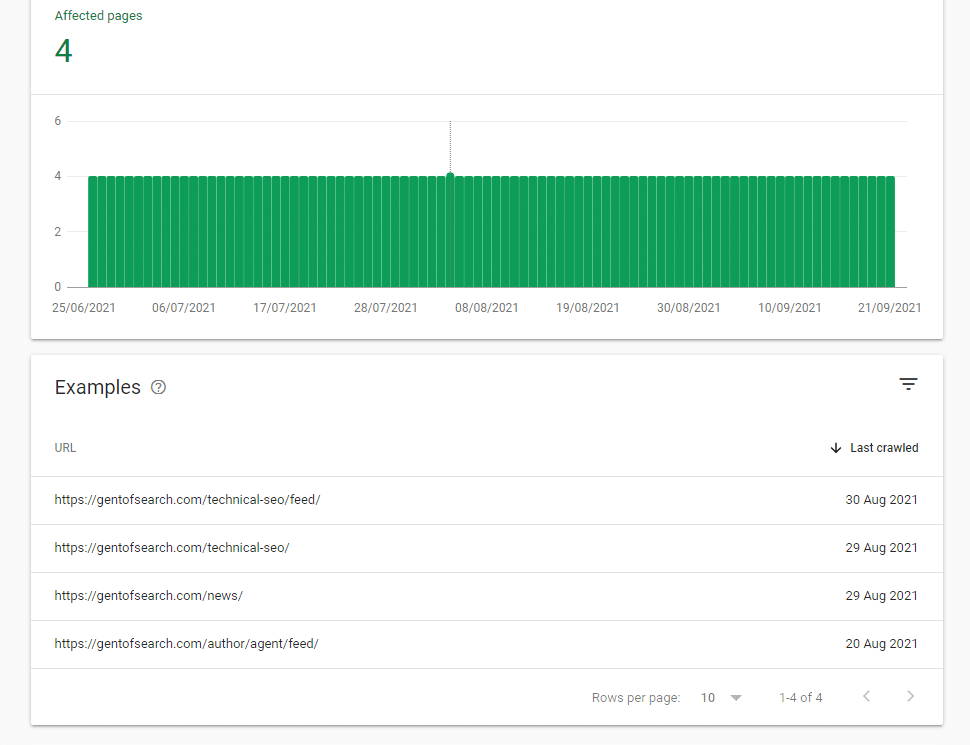
I began to check these /feed/ URLs and soon noticed that there was duplicate content in the /feed/ URLs.
Popping a snippet of content in quotes ("") into Google Search revealed that the /author/agent/feed/ URL was appearing for the content.
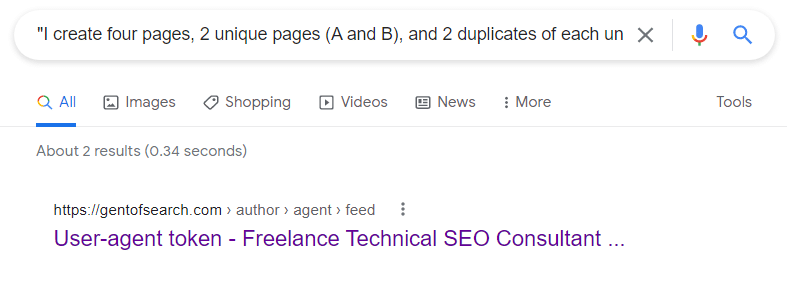
The /canonical-tag-vs-rel-canonical-http-header/ content had been duplicated in the following feed URL: https://gentofsearch.com/author/agent/feed/.
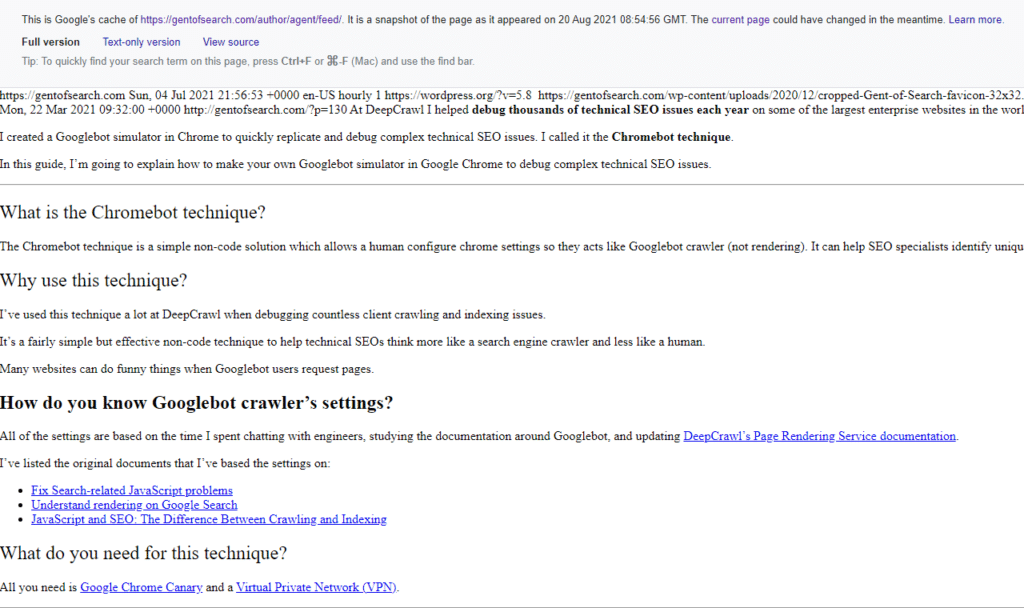
I checked Google's cache and, sure enough, the full version of the /feed/ URL showed that the page with the duplicate content had been indexed.
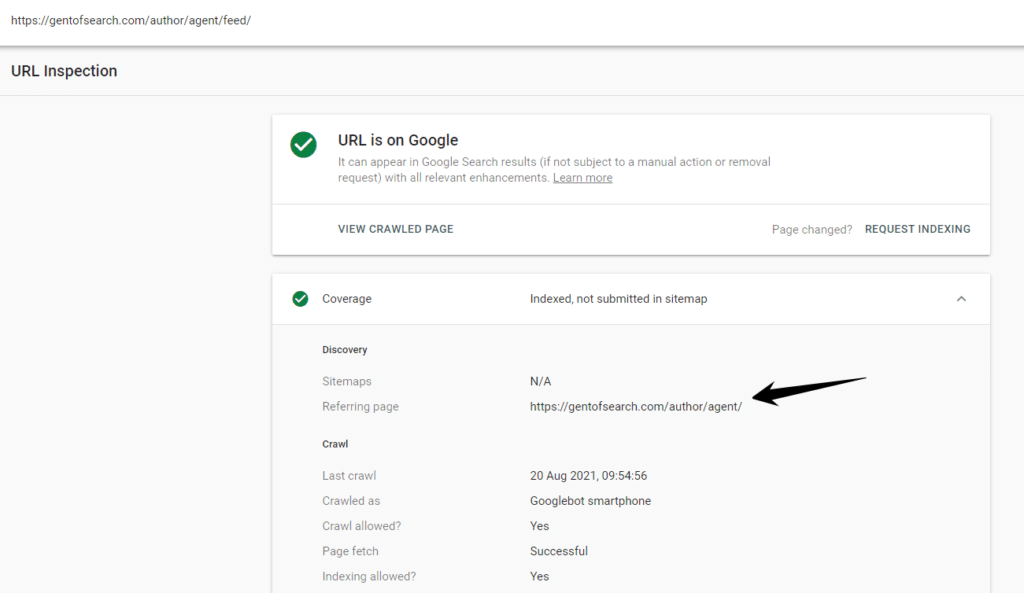
The URL Inspection tool showed the page was indexed and was on Google.
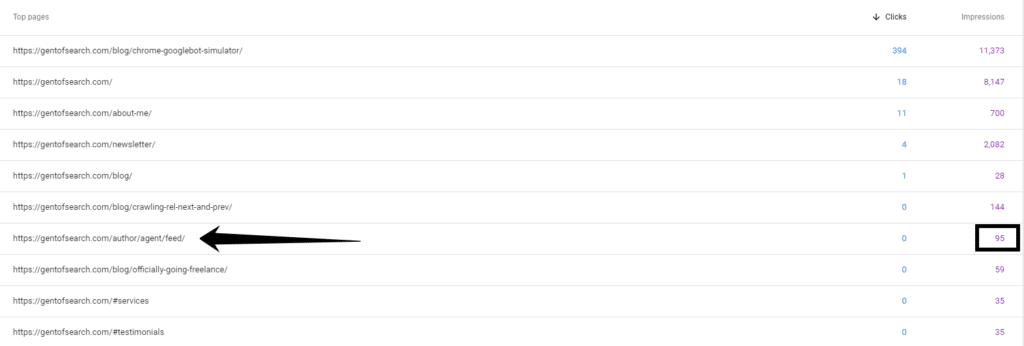
It was also getting clicks and impressions in Google Search.
Why was Google choosing the non-canonical URL?
I asked myself this question as I found the problem.
I double-checked and couldn't get my head around why Google was picking the non-canonical URL as the main version of the content.
Let me explain why I couldn't get my head around it.
Canonical URL
The canonical URL (/blog/canonical-tag-vs-rel-canonical-http-header/) that I wanted indexed had the following canonical signals:
- HTML page
- Internally linked to from the website (Homepage > /blog/ > post)
- Self-referencing
rel="canonical"link - Included in the XML sitemap file
- Better user experience than a /feed/ URL
Non-canonical URL
The non-canonical URL (/author/agent/feed/) that Google had picked as the canonical version had the following canonical signals:
- Not included in the XML sitemap
- No self-referencing canonical tag
- An RSS feed URL with HTML
- Returned a clear
content-type: application/rss+xmlin the HTTP header - Linked to from a deeper meta robots noindex page (Homepage > /blog/ > post > author > feed URL)
Google's tools aren't perfect
I know from Google's WMConf MTV '19 talk on deduplication that it uses machine learning to figure out the canonical version based on a number of soft and hard signals.
Google, in its machine learning wisdom, seemed to treat the RSS feed URL as the "canonical version" of the content.
Even when all the canonicalization signals are quite clear and strong on which is the canonical version.
Combine this with GSC reporting the blog post as "Crawled, currently not indexed" and it is a bit difficult to understand what Google's algorithms were thinking.
I think more than anything this proves that machine learning and Google's reporting systems aren't perfect.
So, I set about fixing this curious crawling and indexing issue.
The fix
I knew the problem was the /feed/ URL and went about making it return a 4xx status code.
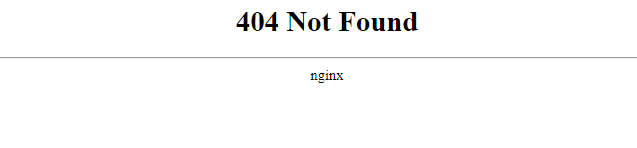
Note: Normally I would tell clients to 301 redirect a URL that had impressions and clicks, but this was a /feed/ URL and it didn't make sense to redirect it.
I submitted the feed URL to be crawled before making it 404, as otherwise Google won't allow you to request indexing in the URL Inspection tool.
Once the page was dropped from the index I then requested the canonical I wanted indexed to be crawled.
I then waited to see what happened…
The result
It only took a few days for Google to correct the issue.
The https://gentofsearch.com/author/agent/feed/ 404 URL was crawled and dropped from Google's index.
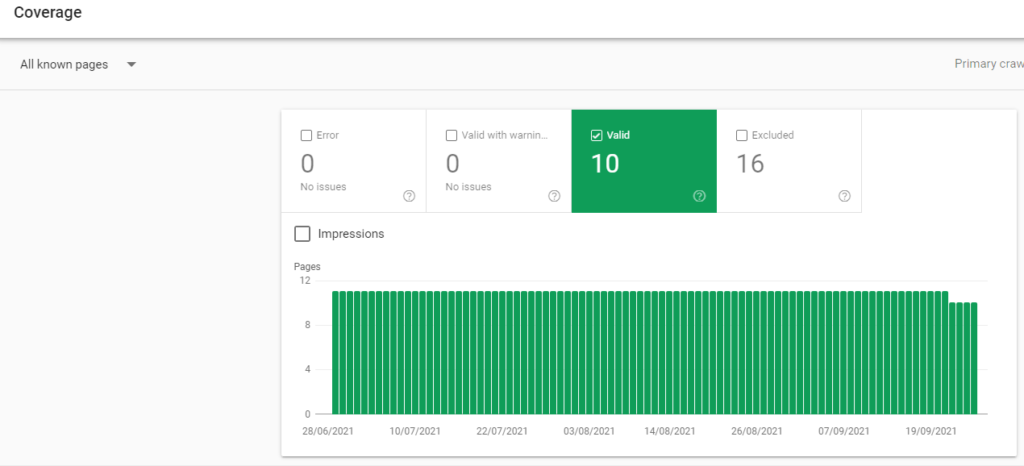
I then requested Googlebot to recrawl and (hopefully) index the actual canonical version of the page.
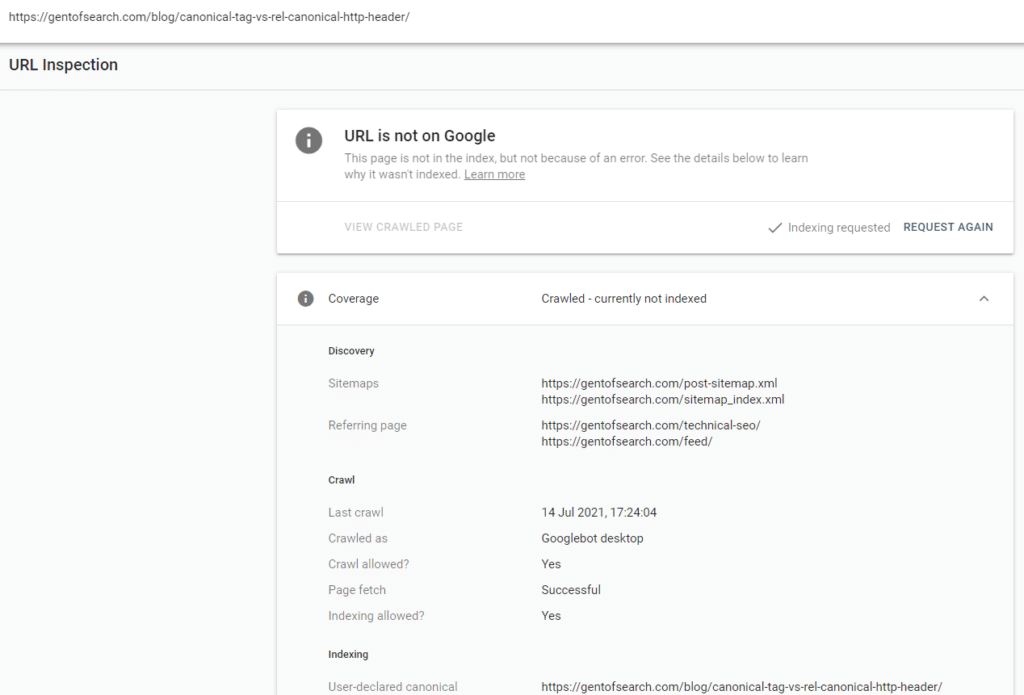
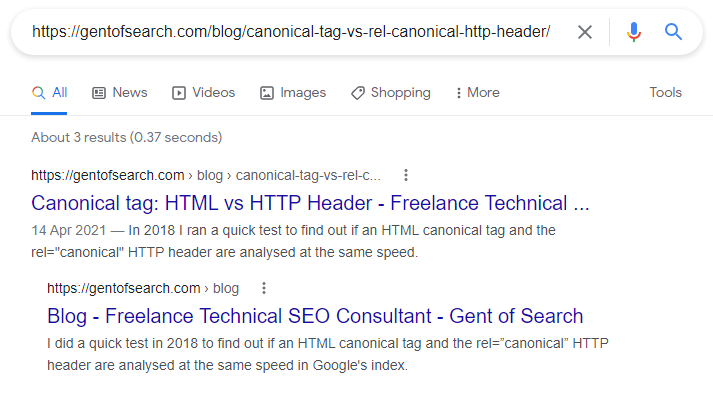
The canonical version of the URL appeared in Index Coverage > Submitted and indexed.
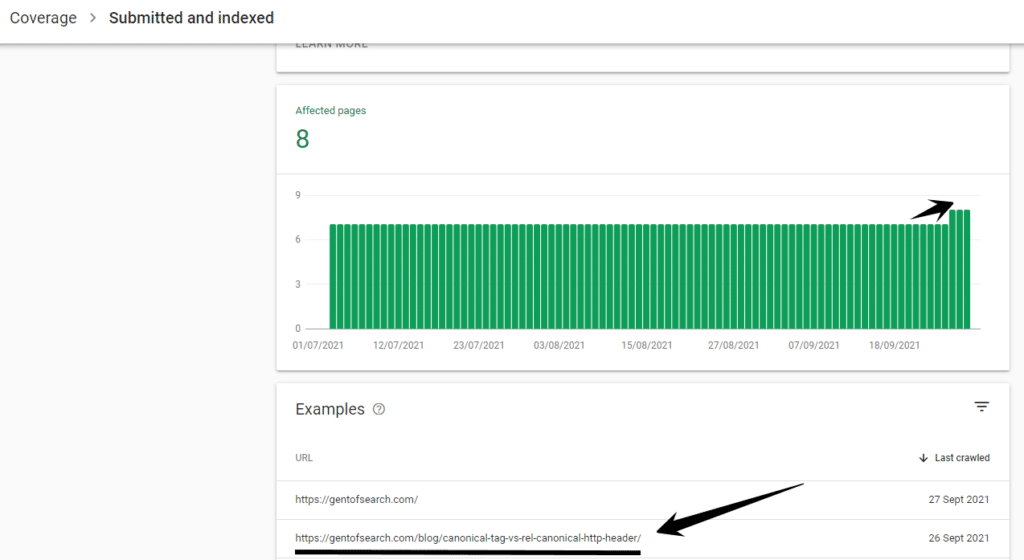
It also appeared in Google Search when copying and pasting the URL into Google Search, and was now appearing for snippets of the content.
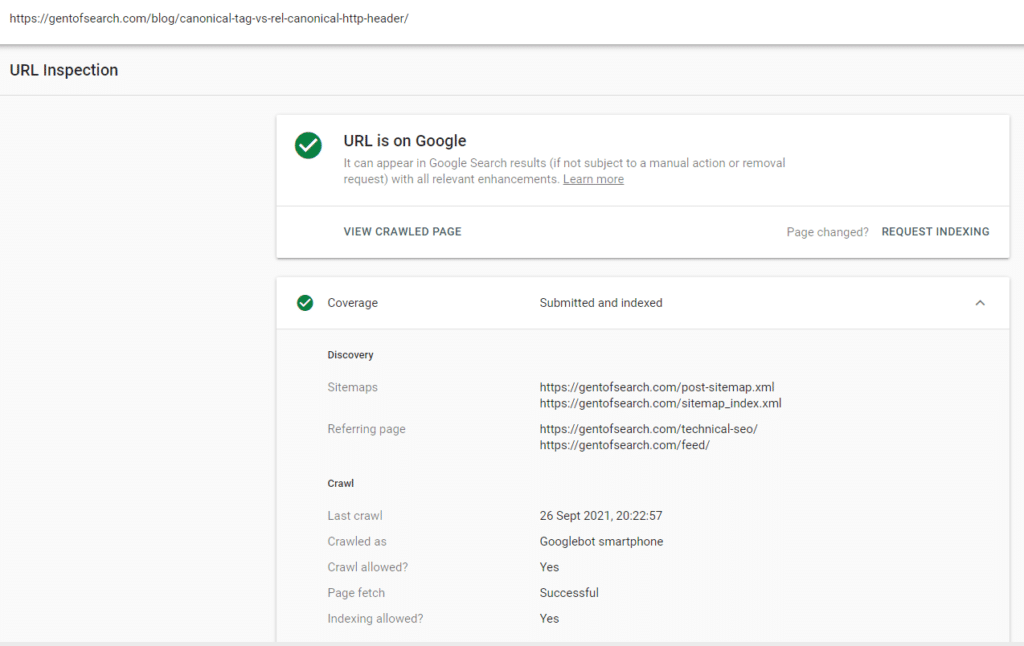
The URL Inspection tool also showed that the URL was now on Google.
The canonical URL blog post also began to rank for keywords and gain impressions in Google Search.
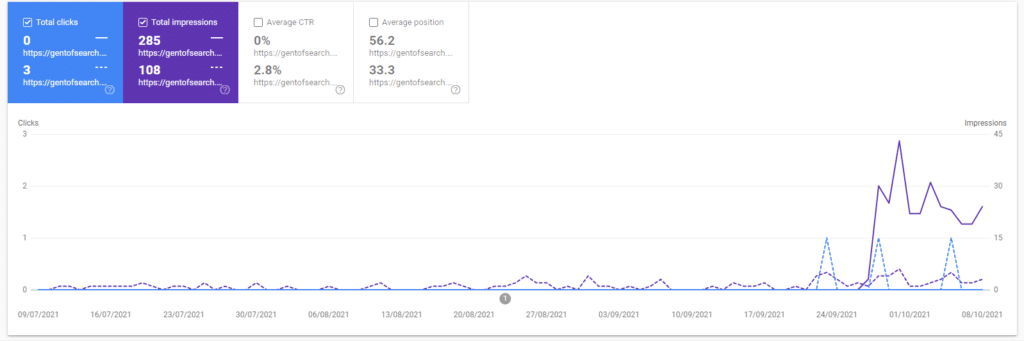
If we compare the canonical URL to the non-canonical /feed/ URL, we can see that the "actual" blog post is now doing a lot better in terms of SEO performance (even in such a short space of time).
This isn't a surprise considering it's an actual HTML page and is linked higher up the architecture of the website.
Summary: what did I learn?
This was an odd but curious technical SEO issue on my own website.
I think the main things I learned were that:
- Google's machine learned canonicalization algorithm does not always get it right, and
- Google Search Console reports don't always get it right either.
When this happens you'll need to use your detective skills to debug and fix technical SEO issues.
